 Dustpan
App caches
Temporary files apps keep to feel faster. They rebuild on their own the next time they are needed.
Rebuilds itselfDustpan finds the gigabytes hiding in caches, old game files, developer leftovers and forgotten AI models — shows you exactly what they are — and only removes what you approve.
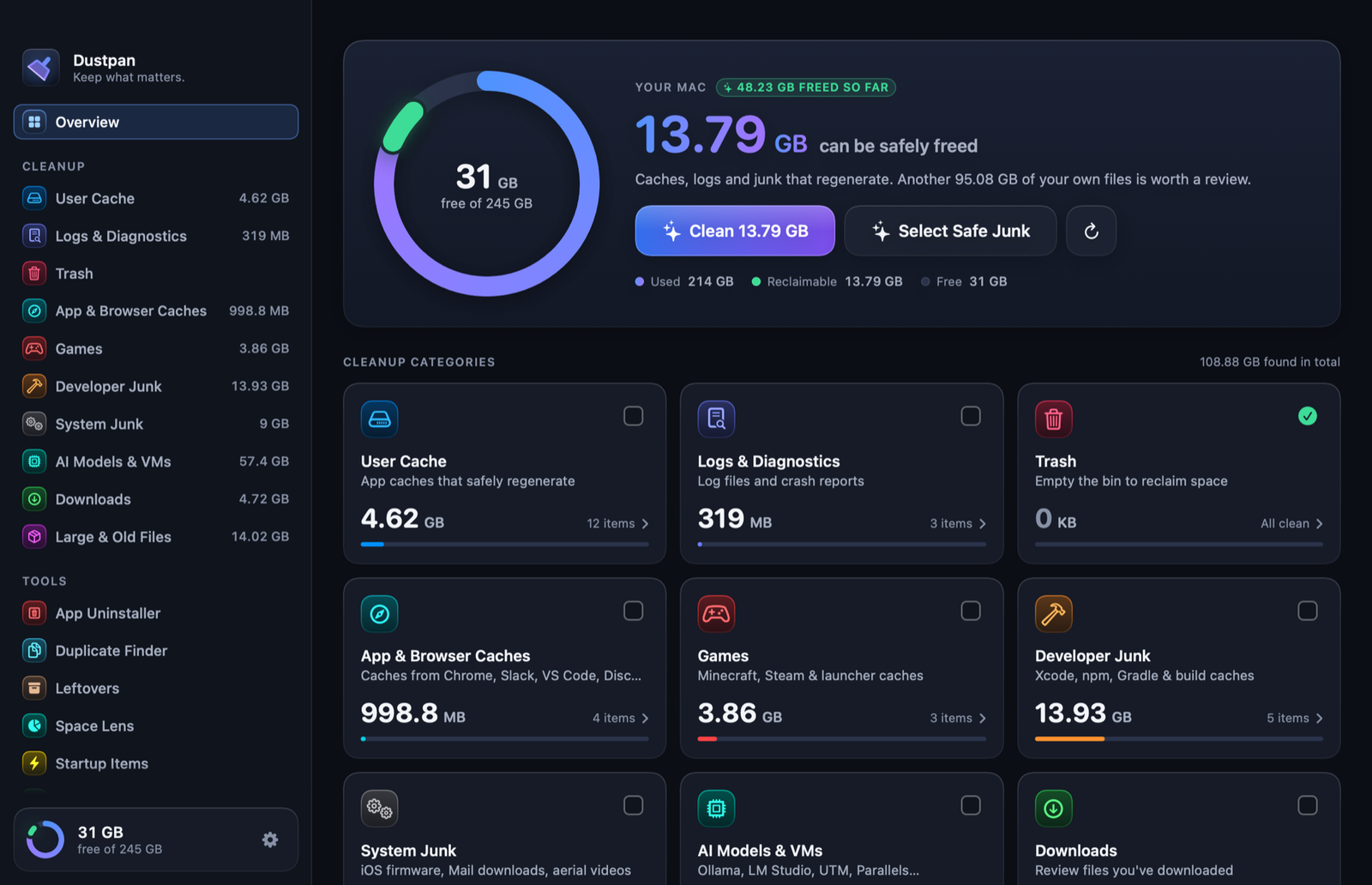
Ten categories that never overlap, so nothing is counted twice. Each one is labelled honestly: junk that rebuilds itself, or your own files that are worth a second look.
Temporary files apps keep to feel faster. They rebuild on their own the next time they are needed.
Rebuilds itselfOld Minecraft versions, launcher caches and logs, Steam shader and download caches. Never your worlds, saves, mods or screenshots.
Caches Versions to reviewXcode build data, node_modules, virtual environments, and the caches of npm, Gradle, Cargo, pip and friends.
Caches from Chrome, Arc, Firefox, Slack, Discord, VS Code and other apps built on web technology.
Rebuilds itselfOllama and LM Studio models, UTM, Parallels and VMware machines: tens of gigabytes that are easy to forget.
Yours to reviewiPhone firmware files, copies of attachments Mail has already opened, downloaded screen-saver videos.
Yours to reviewLog files and crash reports that pile up quietly and that nobody reads twice.
Safe to clearEmptying the bin is the oldest trick there is. Dustpan shows how much is in it first.
Safe to clearForgotten installers and files over 100 MB across your folders. Never selected for you, always sent to the Trash.
Yours to reviewThey all come with Dustpan. There is one price and one version.
Removes an app together with the caches, preferences and containers it scattered around. Everything goes to the Trash.
Finds what apps you deleted long ago left behind, by checking against the apps that are actually installed.
Byte-for-byte identical files, grouped. It keeps one and skips project folders, where a “duplicate” is usually load-bearing.
See where your disk really went. Drill into any folder, with proportional bars, and trash straight from the map.
Real memory pressure, swap, and which apps are using the most, with a polite Quit. No fake “free up RAM” button: those do nothing.
Switch off the helpers that launch at login. Fully reversible: Dustpan only moves them aside.
Most “cleaners” earn their keep by frightening you. Dustpan is built the other way round: it starts from the assumption that everything on your disk is yours, and makes the case for each thing it offers to remove.
No subscription, no tiers, no features held back for an upgrade.
Dustpan is not on sale yet. Leave a note and you will get one email on launch day, and nothing else.
It is designed so that it cannot do so by accident. Nothing is ever pre-selected, protected folders are refused inside the app itself, and anything that is yours rather than junk is moved to the Trash instead of deleted, so you can take it back out. The one-click “safe junk” option only selects files that apps rebuild on their own.
Only things that regenerate: caches, logs, build folders and the contents of the Trash when you choose to empty it. Downloads, large files, old game versions, AI models, virtual machines, backups and uninstalled apps always go to the Trash. The confirmation dialog states how many items will be deleted and how many will be trashed before anything happens.
No, and you should be wary of anything that claims to. macOS manages memory well; tools that “purge” it make your Mac slower for a minute and change nothing. Dustpan shows you real memory pressure and which apps are heavy, and lets you quit them. A Mac with a nearly full disk does get slower, and fixing that is what Dustpan is for.
macOS hides some folders, such as Mail’s downloads and other apps’ containers, from every app unless you allow it. Dustpan works without it and simply scans less. If you grant it, that access is used for scanning on your Mac and nothing else: there is no network code that sends file information anywhere.
Macs with Apple silicon (M1 or later) running macOS 14 Sonoma or later.
No. You pay once and keep the app, including every update to version 1.
Write to hello@dustpan.app. A person reads it.
Dustpan is nearly ready. Leave a note and you will hear from us once, on the day it launches.
Tell me when it launches